RPG-style tutorial video — Pixel RPG quest style
Make a tutorial played like a pixel art RPG quest: a checklist ticked on the word, a dialogue box, an inventory, a chest and full-screen spells.
Inkluderet fra Starter, med alle 81 stilarter plus dine egne · forhåndsvisning renderet af ClipOnIt-motoren
Sådan ser stilen ud
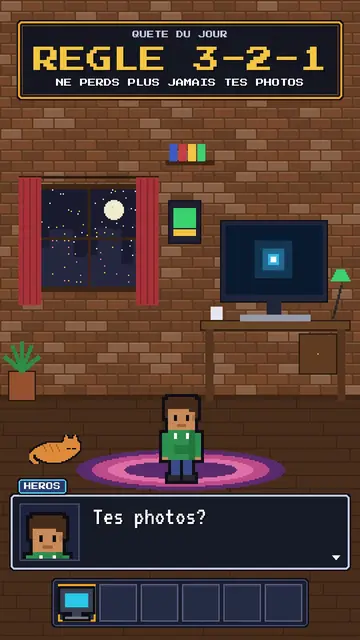
Pixel RPG quest turns your tutorial into a video game played on screen. The set is pixel art: a bedroom at night with the pixel hero, their computer and their cat, or a castle under the northern lights. On top sits an RPG interface: at the top, the checklist of the day's quest, whose steps tick on the spoken word; at the bottom, a dialogue box where the hero or an AI speaks; and an inventory bar with a sword, potion, key or computer.
Frames are golden like in old games, and win moments show a “QUEST COMPLETE” panel, a chest opening with its loot or a counter. Between two chapters, a full-screen spell bursts out, fire, ice, lightning or stars. The camera can zoom into the computer screen, where lines type themselves like in a terminal. The hero changes pose: idle, victory, or casting a spell.
Emner den passer til
Avoid: grave or sad topics: the game tone would make them feel light. Also avoid topics without steps to tick; the quest needs concrete goals, not just a story.
- Step-by-step tech tutorialsEach step is a quest line that gets ticked: viewers know how many are left.
- Digital safety rulesBackups, passwords, updates: the quest makes a chore almost fun.
- Gaming and geek culture videosRPG codes speak straight away to an audience of players.
- Challenges and goalsThe chest and the “QUEST COMPLETE” panel reward the ending, like in a game.
Videoidéer i denne stil
- The 3-2-1 backup rule
The “never lose your photos” quest, the three steps ticked, the chest and the “QUEST COMPLETE” panel.
- Create an unbreakable password
The key in the inventory, the zoom into the screen and the ice spell at the end.
- Install your first local AI
The bedroom at night, the computer typing commands and the AI speaking in the dialogue box.
- The 4 steps to launch your channel
The castle, the checklist ticking and the subscriber counter in the chest.
Få den med 1 klik
- Åbn denne stils link
Knappen „Opret en video i denne stil“ åbner editoren med denne stil allerede valgt. Uden konto tager oprettelse et minut og kræver ikke kort.
- Skriv dit emne i én sætning
En idé er nok. Du kan også indsætte din tekst eller, fra Starter, fortælle ind i mikrofonen: videoen bygger så på din stemme.
- Gennemse, og render derefter
AI skriver scenerne, vælger stilens elementer og tidsindstiller dem efter ordene, med stemme og undertekster. Du retter det, der er galt, og så er den lodrette MP4 klar på få minutter.
Hvad du kan justere
For each scene you pick the set (bedroom, castle or screen), the quest and its ticked steps, the big gold-framed banner, who speaks in the dialogue box and their name, the hero's pose, the lines typed on the screen, up to two panels (quest complete, chest, counter), the entry spell and the inventory.
Ofte stillede spørgsmål
Gratis eller ej, output, brug: de korte svar.
Do I need to know video games?
No. Just write your tutorial in steps: the engine puts them in the quest, ticks each step on the right word and adds the game panels.
Kan jeg bruge min egen stemme?
Yes. Record yourself or import your audio: steps tick and spells burst on your words.
Hvordan adskiller den sig fra Pixel News?
Pixel News tells the news in grey-and-red pixel art, in a TV bulletin tone. Pixel RPG quest turns a tutorial into a game, with a quest, inventory and colourful spells.
Er denne stil med i gratisplanen?
Nej, den følger med Starter ($29/måned): 15 videoer uden vandmærke om måneden, alle 81 stilarter plus dine egne. Gratisplanen giver 3 videoer om måneden med vandmærke i 8 andre stilarter: Pixel News, Press paper, Comedy cartoon, Class sketch, Night tale, Social screen, Retro synthwave og Flat vector.
Hvis du kan lide denne stil
Versus comparison video
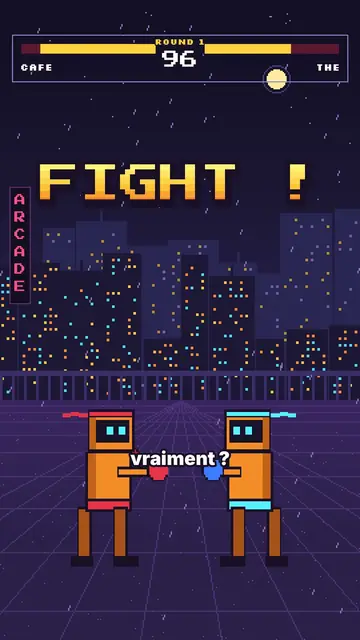
Arcade fighter style · Retro brawler pixel art: two robot boxers face to face, arcade HUD, FIGHT! and K.O.!
- Gratis
Pixel art explainer video maker
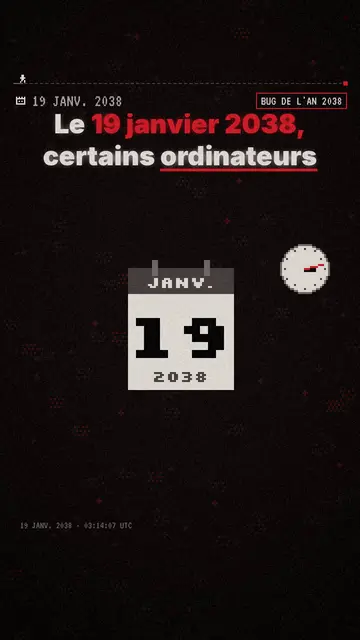
Pixel News style · Grå-røde pixelart, dateret HUD, ordfor-ord-undertekster.
Moody pixel art story video
Mood pixel style · Varm, mørk pixelkunst med strålende gult lys.
Alle stilarterSådan vælger du en stil til forklaringsvideoer
Din idé i denne stil
Skriv en sætning eller sig den: stilen er allerede valgt, når du når editoren.